
Another version of this article originally appeared on our sister-site Commercial Integrator on January 19, 2026. It has since been updated for My TechDecisions’ audience.
As a new year begins, it’s natural to take stock of overarching industry trends that shape integrators and clients’ product choices and, thus, manufacturers’ product design choices. Although many might cite “AI” as the buzzword of our era, I’d suggest a different one: “frictionless.” With the line between AV and IT blurring to the point of nonexistence and integrators increasingly working shoulder to shoulder with corporate and education IT departments, the appetite for speed and simplicity — completely frictionless technology usage — has never been greater. And it’s very clear that BenQ has taken notice.
Hands-On Testing of BenQ InstaShow WDC15
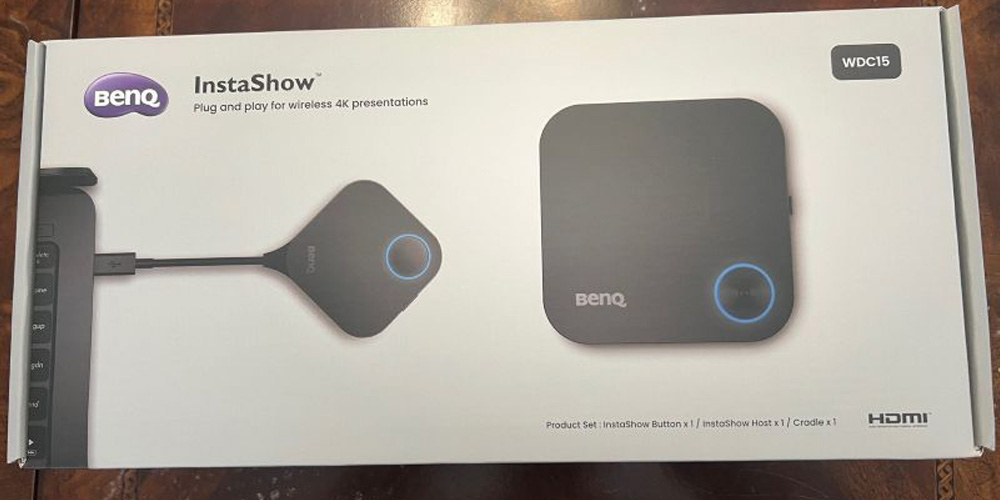
Recently, I had the opportunity to conduct hands-on testing of BenQ’s InstaShow WDC15 wireless presentation system, a screen-mirroring solution that the company released to considerable acclaim late this past summer. Being much more a journalist than a technologist, I tend to begin product reviews with a bit of trepidation, not knowing how easily I’ll be able to manage hardware setup, software downloads and UX navigation. With the InstaShow WDC15, however, unboxing to screen mirroring took all of five minutes!
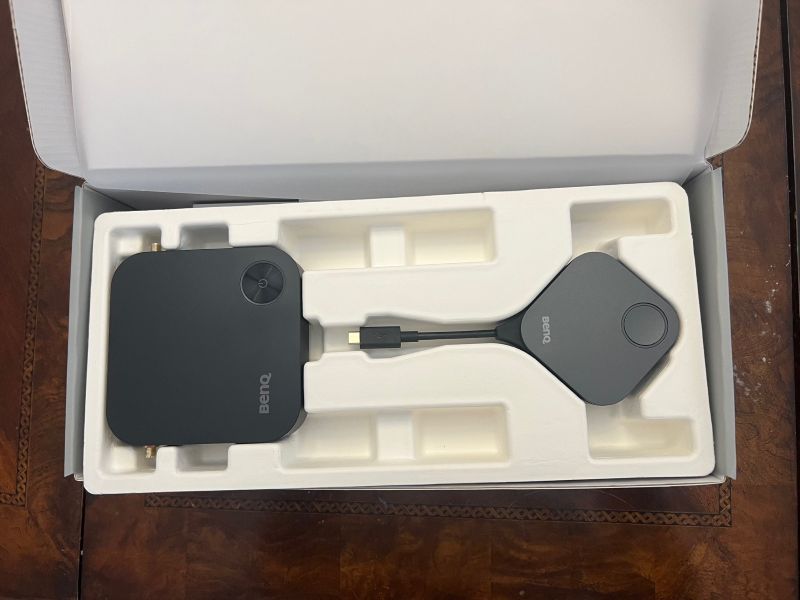
The InstaShow WDC15 comes in a small, relatively lightweight package, reflecting the streamlined, unfussy nature of the solution. The box contains the receiver unit, one button unit with built-in USB-C connector (additional button units are purchasable separately), a cradle capable of holding up to two buttons, an HDMI cable and various other separately packaged accessories. These include a power adapter that offers U.S. and European plug options and twin antennae for the receiver unit, as well as basic mounting components. Mounting options for the WDC15 include pole mount and wall/ceiling mount.
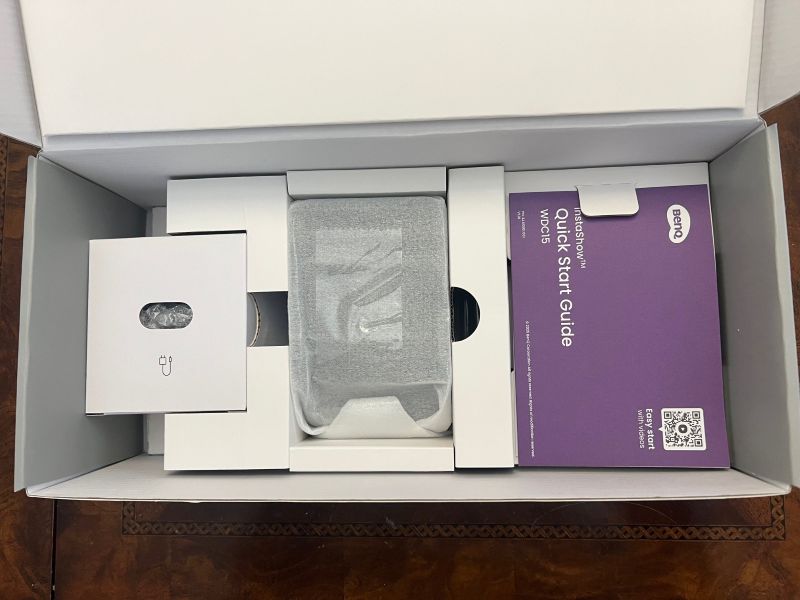
Most pleasing to me was that, unlike some competitive devices, which might include a hefty instruction manual, the WDC15 includes (and requires only) a simple quick start guide.
Plug and Go
Upon unboxing, I plugged the button unit into my laptop via USB-C; immediately, I heard a chime indicating that a new device was detected; in less than 10 seconds, the button shone green to indicate readiness to mirror. There was no automatic redirect to a website to download software and no prompt to initiate an app. How refreshing to see “plug and play” really mean plug and play!
Next, I screwed the two antennae onto the receiver unit, attached and plugged in the power adapter, and connected the receiver unit to a 4K flatscreen LCD via the included HDMI cable. Within seconds, the corresponding circle on the receiver turned green, indicating readiness to pair. After turning on the TV, I tapped the button unit and, in two seconds, the 4K TV mirrored my laptop, showing all the fine details and content nuances that business collaborators and students alike expect these days.
In my tests, I found latency to be quite minimal, with only a slight delay when scrolling up or down in a Word or Excel document; there were no distracting sync issues when streaming videos from YouTube.
BenQ InstaShow WDC15 is Supremely Flexible
Although my own testing centered on a flatscreen LCD, the InstaShow WDC15 is supremely flexible, allowing screen mirroring on any kind of display, via projection, on monitors and on interactive displays — virtually any device that can accept an input. One notable feature is touchback support: When paired with an interactive display, the WDC15 allows the interactive display to control the source device (e.g., the laptop), wirelessly, from anywhere in the room.
The InstaShow WDC15’s feature set makes it an outstanding choice for education institutions and corporate meeting spaces. In the Bring Your Own Device (BYOD) era, the product works seamlessly across operating systems: Windows, Mac OS, Chrome OS and Linux-based. And the complete absence of software installation means that even locked-down devices — quite common in corporate and education settings — can screen mirror effortlessly with the WDC15. Up to 16 simultaneous connections are possible, and no login is required.
For Technology Managers, There’s Much to Like
In an era of empowered IT departments, discerning technology managers will find much to like about the InstaShow WDC15. For this group, foremost among the product’s benefits is its complete absence of network bandwidth impact. Moreover, IT departments will appreciate BenQ’s seriousness about security, with the WDC15 boasting certification under the Common Vulnerability Scoring System (CVSS) 4.0 standard, a mark of resistance to hundreds of common hacks. Moreover, the system utilizes enterprise-grade AES 128-bit encryption. In short, IT managers whose technology estate includes the WDC15 can rest easily, secure in the knowledge it doesn’t create vulnerabilities.
The InstaShow WDC15 is equally compelling for end users and guests, from teachers to corporate meeting participants. They can screen mirror in minutes, with zero training required, without having to download software or bother with an app, while benefiting from the full 4K capabilities of the display they’re mirroring onto. Unlike some competitors whose screen mirroring is limited to 1080p or even lower resolution, the WDC15 offers 30fps video at 4K resolution. This ensures that classroom and meeting room displays are utilized to their full potential, with the screen mirroring not imposing any limitations.
BenQ InstaShow WDC15: It’s About Value, Not Price
Admittedly, the InstaShow WDC15 ($799) isn’t the cheapest wireless presentation system on the market. However, its ease and quickness of use, 4K friendliness, AES128 encryption and CVSS 4.0 certification, and lack of subscription cost with no software to use or app to download makes its value high and its total cost of ownership surprisingly low.
It seems certain that the BenQ InstaShow WDC15 will be a foundational part of consultants and integrators’ arsenal when they’re designing and spec’ing for classrooms, meeting rooms and other collaborative spaces.
Dan Ferrisi is Group Director of Content and Editorial at Emerald
If you enjoyed this article and want to receive more valuable industry content like this, click here to sign up for our digital newsletters!







Leave a Reply