
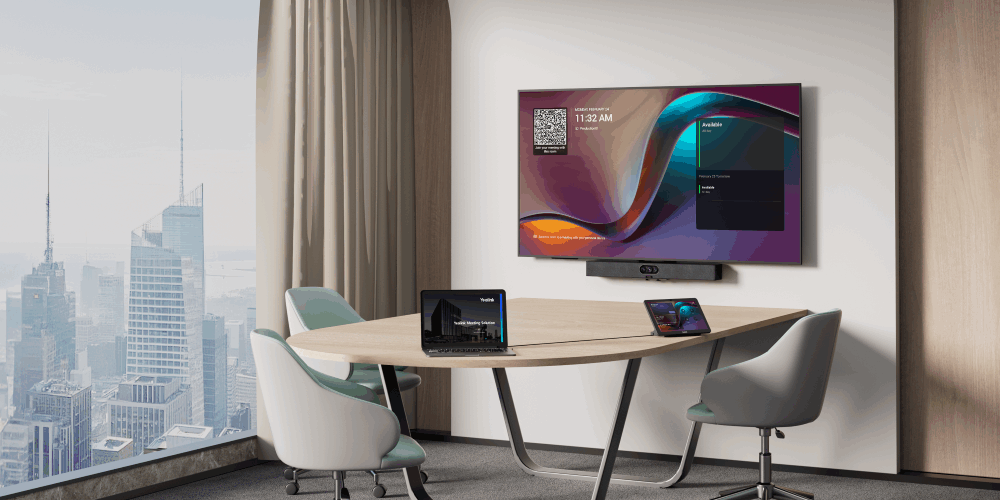
As hybrid work becomes a permanent part of the modern workplace, organizations are rethinking how every meeting space can support more flexible collaboration. Focus rooms, in particular, are gaining importance. These compact spaces are designed for quick discussions, small team meetings, but they often require solutions that are simple to deploy, easy to manage, and powerful enough to deliver a professional meeting experience.
Yealink MeetingDisplay 55 is designed to meet this need. Built for focus rooms and ready for digital signage, it combines a high-quality display experience, streamlined installation, and centralized management in one practical solution. When paired with Yealink MeetingBar A25, it creates a complete collaboration setup for small meeting spaces.
Built for Focus Rooms
Focus rooms usually have limited space, which means every device must be carefully selected. Traditional video conferencing setups can involve multiple devices, complicated cabling, and a time-consuming installation process.
MeetingDisplay 55 helps simplify this experience. Together with MeetingBar A25, it offers an optimized solution for rooms of up to five people. The MeetingBar A25 features a 151-degree ultra-wide camera, helping ensure that every participant can be clearly captured even in close-range meeting environments.
For businesses, this brings several practical advantages:
- A cleaner meeting room setup with reduced cabling
- Faster installation for IT and facility teams
- A more consistent meeting experience across multiple rooms
- Better support for small hybrid meetings and daily collaboration
Designed for Clear and Comfortable Viewing
MeetingDisplay 55 is designed with:
- 500 nits brightness, supporting clear visibility even in bright environments
- 25% haze, helping reduce glare and create a more comfortable viewing experience
- 24/7 operation, making it suitable for continuous use in workplace and public spaces
- Three-year warranty, supporting long-term reliability
These features allow the display to serve different workplace needs, from video meetings and presentations to company announcements and visitor-facing information.
Ready for Digital Signage
One of the key values of MeetingDisplay 55 is that it is not limited to meetings. When the room is not being used for collaboration, the display can also support digital signage.
This allows businesses to turn meeting room displays into communication touchpoints. Instead of leaving screens idle, organizations can use them to show:
- Company news and announcements
- Brand messages
- Welcome screens
- Event information
- Office guidance or visitor information
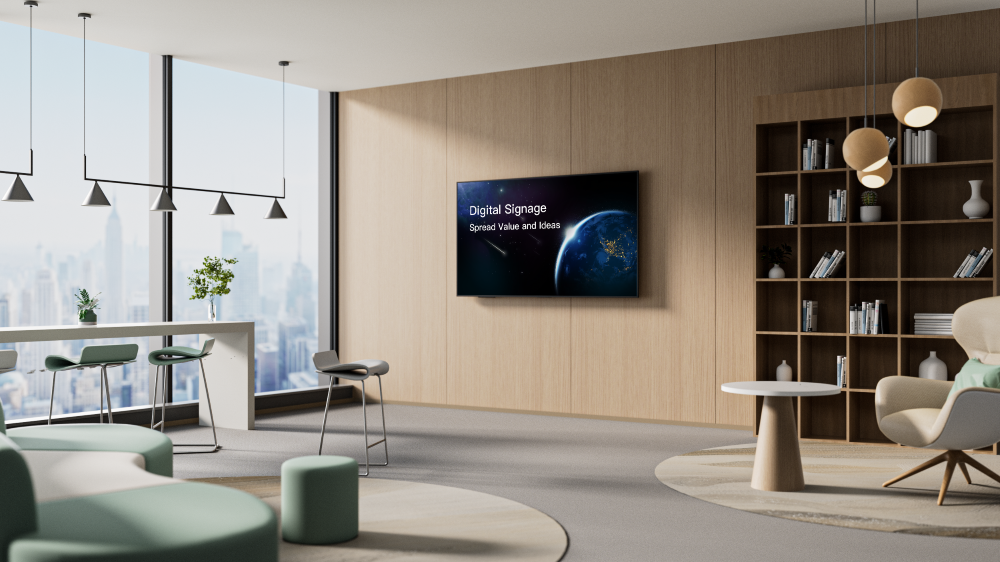
MeetingDisplay 55 also includes one year of Cloud Digital Signage Service, helping companies explore more flexible content delivery. With templates and drag-and-drop tools, teams can create signage content more easily without requiring advanced design skills.
The display can also switch intelligently between digital signage and meeting mode. When the room is occupied or the panel is activated, it can move into Teams mode, creating a smoother experience between information display and collaboration.
Simplified Management for IT Teams
As organizations deploy more meeting rooms, device management becomes a growing challenge. IT teams need better visibility and control across displays, meeting devices, and room systems.
MeetingDisplay 55 supports a more unified management experience through Yealink’s platform. Teams can manage digital signage, rooms, and devices with real-time monitoring, helping reduce operational workload.
The solution supports:
- Unified installation with a customized structure
- Unified coordination across signage, sleep, wake-up, and meeting modes
- Centralized room and device management
- Remote configuration to reduce on-site setup work
For distributed offices or companies managing multiple meeting spaces, this can help improve efficiency and maintain a consistent user experience.
A Scalable Solution for Modern Workplaces
Although MeetingDisplay 55 is optimized for focus rooms, it is part of a broader Yealink meeting room ecosystem. Organizations can choose different MeetingDisplay sizes and pair them with suitable Yealink video solutions for focus rooms, small rooms, medium rooms, large rooms, and extra-large rooms.
This makes it easier for businesses to build standardized meeting environments. Instead of using different systems for different spaces, companies can adopt a more consistent approach across the workplace.
Supporting the Future of Collaboration
Today’s workplace needs meeting spaces that are flexible, efficient, and easy to use. Focus rooms are no longer secondary spaces; they are becoming essential parts of the hybrid office.
With MeetingDisplay 55, Yealink brings together collaboration, digital signage, display performance, and device management in one solution. It helps organizations make better use of compact spaces while extending the value of workplace displays beyond meetings.
Built for focus rooms and ready for digital signage, MeetingDisplay 55 offers a smarter way to connect people, share information, and support the future of work.
Learn more about Yealink MeetingDisplay at yealink.com/en/product-detail/room-system-meetingdisplay
If you enjoyed this article and want to receive more valuable industry content like this, click here to sign up for our digital newsletters!







Leave a Reply